
IPTV Family Packages in Ireland: The Complete Guide to Multi-Room Streaming
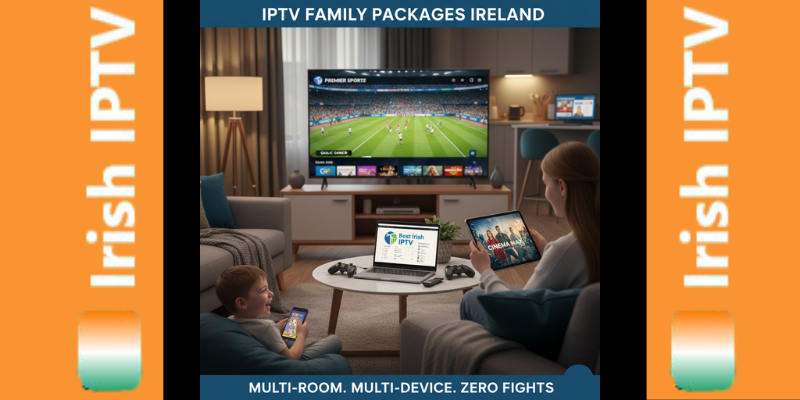
Fighting over the remote is a rite of passage in most Irish households. Whether it’s a clash between the Saturday Premier League fixtures and a Saturday night movie, or the kids wanting cartoons while you want the 6 o’clock news, the “single screen” struggle is real. What is an IPTV Family Package? An IPTV family package in Ireland allows you to stream live TV, sports, and movies on 2, 3, or more devices simultaneously under a single subscription. Unlike standard plans that limit you to one screen, multi-room packages use “simultaneous connections” to let one family member watch the GAA in the living room while another watches movies in the bedroom, all while saving up to 70% compared to traditional Irish cable multi-room fees. What is an IPTV Family Package? (Multi-Room Explained) In the world of streaming, a “connection” is essentially a license to watch on one screen. A standard IPTV subscription usually provides one connection. If you try to log in on a second device, the first one will typically cut out or you’ll face an “Authorization Error.” An IPTV Family Package removes this barrier. It is a specialized subscription tier designed for the modern Irish home. Instead of paying for three separate full-price subscriptions, a family pack gives you a “bundle” of connections (usually 2 to 5) linked to one single account. This means your Firestick in the kitchen, the Smart TV in the lounge, and the tablet in the kid’s room all work at the exact same time. The Math: IPTV Family Pack vs. Traditional Cable Multi-Room Let’s look at the numbers. In Ireland, traditional cable providers often charge a base subscription, plus an additional monthly fee for every “extra box” you have in the house. Feature Traditional Irish Cable Premium IPTV Family Pack Monthly Cost €80 – €120+ €15 – €25 Multi-Room Fee €10 – €20 per extra box Included in bundle Hardware Bulky boxes & wires Smart tv, android, Formuler (Firestick/App) Contract 12 – 24 Months No Contract Total Annual Saving €0 Approx. €900+ By switching to a multi-room IPTV setup, the average family in Dublin or Cork can save enough in one year to pay for a family holiday. You aren’t just paying for more screens; you are paying to eliminate the “multi-room tax” that big cable companies have charged for decades. How Many Devices Can You Use Simultaneously? The most common question we get at Best Irish IPTV is: “Can I watch on my phone and my TV at the same time?” The answer depends on your plan. Most premium providers offer three tiers of family packages: The Duo Plan (2 Connections): Perfect for couples or small apartments. The Triple Threat (3 Connections): The “Sweet Spot” for the average Irish home (Living room, Master bedroom, Kitchen). The Full House (5 Connections): Designed for large families or shared housing, ensuring no one ever gets kicked off the stream. Pro Tip: Even if you have 10 devices in your house, you only need a plan that covers how many are playing at the exact same time. The Best Devices for a Family IPTV Setup (Firestick vs. Smart TV) For a smooth family experience, hardware matters. You don’t want to be troubleshooting in the bedroom while you’re trying to watch the match in the lounge. Amazon Firestick 4K Max: Our #1 recommendation. It’s cheap, portable, and powerful enough to handle 4K streams without lag. Android TV Boxes (Nvidia Shield): Great for the “Main” TV where you want the fastest possible performance. Smart TV Apps (Samsung/LG): Convenient because there are no extra wires, though sometimes the processing power is lower than a dedicated stick. Mobile & Tablets: Perfect for keeping the kids entertained in the car or a quiet corner of the house. Common Pitfalls: Using One Subscription on Two IP Addresses This is where many users get banned. Most IPTV providers allow multi-room streaming within the same household (on the same IP address). If you buy a 2-connection plan and give one login to your cousin in Galway while you stay in Dublin, the system may flag this as “account sharing.” To avoid service interruption, always check if your provider allows “Multi-IP” usage. At Best Irish IPTV, our family packages are designed to work seamlessly within your home network to ensure 100% uptime. How to Set Up Multi-Room IPTV in Your Irish Home Setting up is simpler than installing a traditional satellite dish. Choose Your Plan: Select a 2 or 3-connection package from our shop. Install the App: Download our recommended player on all your devices (Firesticks, TVs, etc.). Login: Use the same M3U URL or Xtream Codes login on every device. Sync: Most modern apps will automatically recognize your multi-room status and allow simultaneous play. Frequently Asked Questions About Family IPTV Can I watch different channels on each TV? Yes! Each connection acts independently. One TV can be on Sky Sports, while another is on RTE Junior. Does multi-room streaming slow down my internet? A 4K stream uses about 25Mbps. If you have Irish Fiber broadband (100Mbps+), you can easily run 3-4 screens at once without any lag. Do I need a VPN for every device? If you use a VPN, it is best to install it on your Router. This protects every device in the house under one “tunnel” and ensures all your family connections stay secure. Ready to stop the remote wars? View our IPTV Family Packages and get your whole home connected in minutes.
IPTV Ireland Pricing 2026: How Much Should You Really Pay for a Premium Subscription?
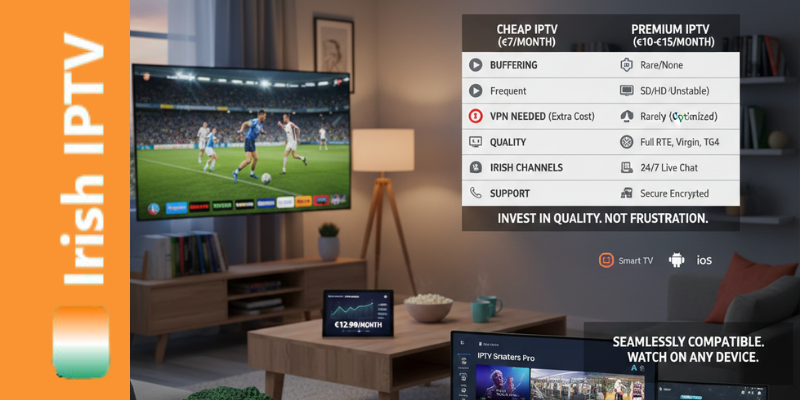
How much does an IPTV subscription cost in Ireland? In 2026, a premium IPTV subscription in Ireland typically costs between €10 and €15 per month, or €100 to €130 for a yearly plan. While “cheap” options exist for €40–€60 per year, they often include hidden costs like the need for a VPN and suffer from frequent buffering. A premium IPTV Ireland price includes 4K stability, local Irish channels (RTE, Virgin), and 24/7 technical support. 1. Introduction: The Price of Entertainment in Ireland 2026 With traditional TV providers in Ireland raising their rates again in 2026, many Irish households are asking: “What is the real cost of a high-quality IPTV subscription?” While you can find options ranging from “too good to be true” free trials to high-end packages, understanding the value behind the price is key to avoiding frustration. In this guide, we break down the iptv subscription ireland market to help you understand what you are paying for and how to spot a “cheap” service that will let you down during the big match. 2. Average IPTV Price in Ireland: What’s the Market Standard? As of 2026, the market for a reliable iptv subscription has stabilized into three main tiers: The “Cheap” Tier (€40–€60/year): Often found on marketplaces. These usually lack local Irish support and suffer from heavy buffering. The “Premium” Tier (€10–€15/month or €100–€130/year): This is where you find stable 4K streams, anti-freeze technology, and dedicated customer support. The “Multi-Room” Tier: Specialized packages for families who need to buy iptv ireland for 2 or more devices simultaneously. 3. The Hidden Costs of “Cheap” IPTV Services Many users search for the lowest iptv price, only to realize later that it comes with hidden costs: The VPN Requirement: Some low-cost providers are easily blocked by ISPs like Eir. You may end up paying an extra €5/month for a VPN just to make it work. (See our guide on stopping buffering on Eir & Sky. Hardware Compatibility: Cheap servers often don’t support high-end apps like TiviMate, forcing you to use buggy, ad-filled players. Data Security: Unverified “cheap” sellers rarely have secure payment methods, putting your personal data at risk. 4. What Are You Paying For in a Premium Subscription? When you buy iptv ireland from a reputable provider, your subscription covers more than just a link: Server Maintenance: High-quality providers invest in “Anti-Freeze 10.0” servers to ensure the Sunday Game doesn’t cut out at the 70th minute. EPG Updates: A professional IPTV EPG Guide that actually shows what’s on next. Customer Support: Real humans who can help you with installing IPTV on your Fire Stick or Smart TV. 5. Is a Yearly Subscription Better Than Monthly? Most users save 30-50% by choosing a 12-month plan. However, we always recommend new customers start with a 3-month package to test the stability on their specific broadband connection. This protects your investment while giving you the best price per month. 6. Pricing for Sports Fans: GAA, Premier League, and UFC If your main goal is sports, price shouldn’t be your only metric. Sports streaming in Ireland requires massive bandwidth. Cheap providers often “over-sell” their servers, leading to crashes when millions of people log in for a big event. Premium pricing ensures you have a dedicated “slot” on a high-bandwidth server. 7. How to Avoid Scams When Buying IPTV in Ireland Check for Trials: Reliable providers offer a way to test the service. Look for Security: Ensure the site has an SSL certificate and safe payment gateways. Read the Refund Policy: A professional service like ours always has a clear Refund policy. 8. Conclusion: Quality is the Best Discount While the iptv price is important, the “cost” of a failed stream during a final is much higher. For roughly the price of two pints in a Dublin pub per month, you can access a world of 4K entertainment without the headache. Ready to get the best value for your money? View our full range of IPTV Subscriptions and find the perfect plan for your home.
How to Start a Profitable IPTV Reseller Business in Ireland (2026 Guide)
1. Introduction: The Growing Demand for IPTV Reselling in Ireland How do I become an IPTV reseller in Ireland? To become a successful IPTV reseller in Ireland in 2026, you must partner with a high-uptime provider that offers a professional reseller panel. By purchasing wholesale credits—where 1 credit typically equals 1 month of service—you can manage client subscriptions, offer 4K streaming trials, and earn high profit margins. A reliable reseller business requires a service compatible with Irish ISPs like Eir and SIRO to ensure stable, buffer-free viewing for local customers. The landscape of Irish television has shifted. With traditional cable costs soaring, thousands of households across Dublin, Cork, and Galway are switching to streaming. This shift has created a massive opportunity for entrepreneurs: the IPTV Reseller market. Becoming an IPTV Reseller Ireland allows you to buy “credits” at wholesale prices and sell them to local customers at a premium. Unlike other businesses, you don’t need to manage servers or hardware; you simply manage your clients through a professional dashboard. In this 2026 guide, we’ll show you exactly how to launch and scale. 2. What is an IPTV Reseller Panel? An IPTV Reseller Panel is your “Control Center.” When you join a provider like Best Irish IPTV, you receive access to a web-based dashboard where you can: Create New Subscriptions: Instantly generate M3U links or Xtream Codes for your clients. Manage Trials: Offer 6-hour or 24-hour trials to close sales. Edit Bouquets: Customize which channels your customers see (e.g., only Irish and Sports). Monitor Activity: See which clients are active and when their subscriptions expire. 3. Why Start an IPTV Business in Ireland in 2026? The “Ireland IPTV” search volume has reached record highs this year. Here is why reselling is the most profitable digital business right now: Low Entry Cost: You can start with a small credit pack for as little as €150–€200. High Profit Margins: Wholesale credits often cost 70% less than the retail price. Recurring Income: Once a customer signs up, they usually renew every 6 or 12 months, creating a “subscription” income for you. Zero Technical Overhead: The main provider handles the servers; you only handle the customer service. 4. Step-by-Step: How to Launch Your Reseller Business Step 1: Choose a Reliable Partner The #1 reason resellers fail is “server lag.” If your customers experience buffering during a Premier League match, they won’t renew. Ensure your provider offers Anti-Freeze 10.0 and dedicated Irish servers. Check our Top Providers List for vetted partners. Step 2: Purchase Your First Credit Pack Credits are the “currency” of reselling. Usually: 1 Credit = 1 Month of Service. 12 Credits = 1 Year of Service. The more credits you buy upfront, the lower the cost per credit. Step 3: Branding & Marketing While you don’t need a website to start (many sell via WhatsApp or Facebook), having a professional presence helps. Focus on “Local Quality”—Irish customers want to know they can get RTÉ, Virgin Media, and GAA GO without issues. 5. Technical Setup: Managing Your Clients To provide the best service, you should be familiar with the apps your clients will use. Whether it’s installing IPTV on a Fire Stick or setting up IPTV on a Smart TV, being able to troubleshoot for your clients is what earns you five-star reviews. 6. Pricing Your Service for the Irish Market In 2026, the standard retail price for a premium IPTV subscription in Ireland ranges from €10 to €15 per month. Economy Strategy: High volume, lower price (Best for Facebook groups). Premium Strategy: Higher price, white-glove support (Best for local community referrals). 7. Is IPTV Reselling Legal? As discussed in our detailed legal breakdown, the technology of IPTV is legal. However, as a reseller, you must ensure you are operating within the guidelines of your service provider and understanding the copyright laws regarding the content being streamed. 8. Common Challenges & How to Solve Them ISP Throttling: Some Irish ISPs like Eir or Sky may throttle streaming. Advise your clients to use a VPN. You can read more in our Eir & Sky Troubleshooting Guide. App Issues: Always recommend high-quality players like TiviMate or IBO Player. Avoid free, ad-heavy players that cause crashes. 9. Conclusion: Take the First Step The IPTV market in Ireland isn’t slowing down. If you are looking for a work-from-home business with low risk and high rewards, becoming an IPTV Reseller is the best move for 2026. Ready to start? Visit our Subscription Page to inquire about our latest Reseller Credit Packages and get your dashboard login today!
How to Stop IPTV Buffering on Eir & Sky: The 2026 Irish Fiber Fix
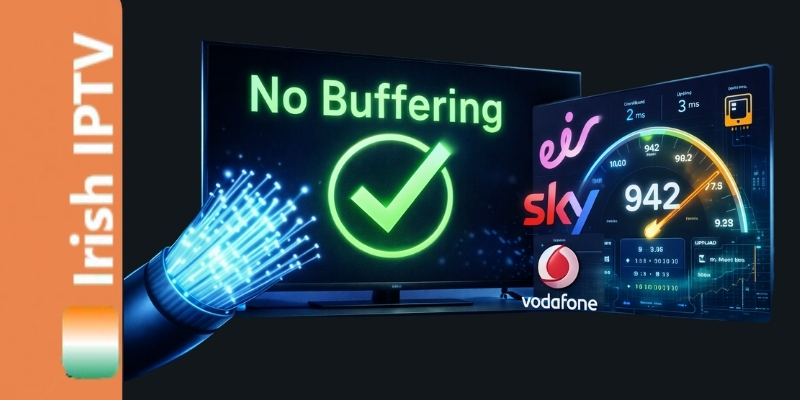
Stop IPTV buffering on Eir, Sky, and Vodafone broadband with our proven 2026 optimization guide. Discover how to bypass ISP throttling in Ireland, change your DNS settings, and unlock an amazing, lag-free streaming experience for all your favorite channels. Is there anything more frustrating than a “buffering” circle appearing right as a goal is about to be scored? In Ireland, high-speed fiber from providers like Eir, Sky, and Vodafone should be perfect for streaming. However, many users experience constant lag and freezing. The truth is, your internet speed might be fast, but your provider is likely “throttling” your IPTV traffic. In this proven guide, we provide the amazing technical steps to reclaim your bandwidth and enjoy a 100% stable experience. 1. Understanding ISP Throttling in Ireland In 2026, Irish ISPs use “Deep Packet Inspection” (DPI). This allows them to see when you are using high amounts of data for IPTV. To save network capacity during peak hours (8 PM – 11 PM), they artificially slow down your connection to specific servers. The “Sky Broadband Shield” Issue If you are a Sky Ireland customer, your IPTV may not just buffer—it might be blocked entirely. Sky’s built-in “Shield” is designed to block “unauthorized” streams. To fix this, you must log into your Sky account and set the Shield to “Off” or “18+ Custom.” 2. The 5-Minute DNS Fix (Proven Results) Most Irish users use the default DNS provided by Eir or Vodafone. These servers are often slow and tracked. By switching to a global, high-performance DNS, you can bypass the first layer of throttling. Provider Primary DNS Secondary DNS Google DNS 8.8.8.8 8.8.4.4 Cloudflare 1.1.1.1 1.0.0.1 How to change it: Go to your Device Settings (Firestick, Smart TV, or Android Box). Select Network > Static IP. Enter your IP details and change DNS 1 and DNS 2 to the numbers above. 3. Optimization for Eir Fiber Users Eir is currently the most popular fiber provider in Ireland, but their “SmartHub” routers have aggressive security settings that can interfere with IPTV playlists. Disable IPv6: Many IPTV servers perform better on the older IPv4 protocol. If your Eir router allows it, disable IPv6 in the settings. The 5GHz Rule: If you cannot use an Ethernet cable, ensure your streaming device is connected to the 5GHz WiFi band, not the 2.4GHz band. 2.4GHz is too crowded in Irish housing estates and causes “micro-stuttering.” 4. Hardwiring: The Gold Standard No matter how good your WiFi is, a physical Ethernet cable is 40% more stable for 4K streaming. If your router is in a different room, consider using Powerline Adapters. These devices send your internet signal through the copper electrical wiring of your Irish home, giving you a “wired” connection anywhere. 5. Do You Need a VPN in Ireland? If you have tried the DNS fix and hardwiring, but you still see buffering during Premier League or Champions League matches, your ISP is using a “Live Block.” In 2026, a high-quality VPN (like Surfshark or NordVPN) is an amazing tool. It encrypts your traffic so Eir and Sky cannot see that you are watching IPTV. Since they can’t see the traffic, they can’t throttle it. 6. Choosing a “Success-Driven” IPTV Provider Sometimes, the buffering isn’t your internet—it’s a cheap, overloaded server from a low-quality provider. At Best Irish IPTV, our servers are specifically optimized for Irish peering points. This means the data travels the shortest possible distance from our server to your home in Dublin, Cork, or Galway. 💡 Final Checklist for a Lag-Free 2026 [ ] Disable Sky Broadband Shield / Virgin Media Websafe. [ ] Change DNS to 1.1.1.1. [ ] Use a Wired Ethernet connection. [ ] Use a VPN if buffering only happens during live sports. [ ] Ensure your IPTV EPG Guide Ireland is updated to prevent app crashes.
How to Install IPTV on Samsung & LG Smart TVs: 2026 Direct Setup
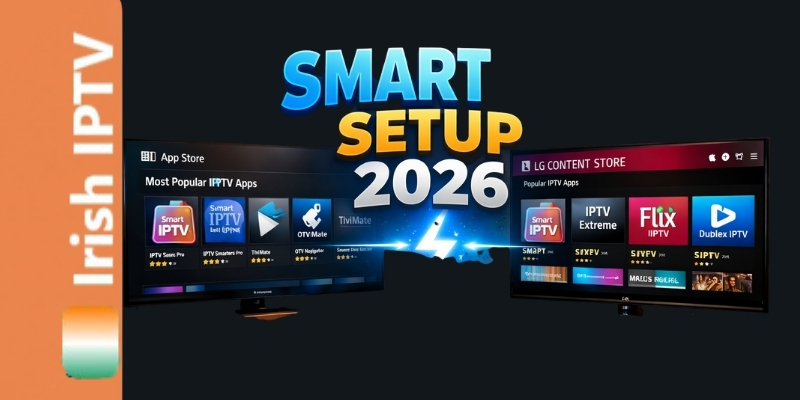
Discover the easiest way to install IPTV on Smart TV in Ireland for 2026. Our amazing, proven guide covers Samsung and LG models so you can stream live sports and movies directly without needing an extra Firestick or box. Are you tired of switching between remotes or having extra wires hanging from your television? While the Amazon Firestick is a popular choice, many Irish households in 2026 are moving toward a “clean” setup by installing IPTV directly on their Samsung Tizen or LG webOS Smart TVs. In this proven guide, we will show you exactly how to Install IPTV on Smart TV Ireland so you can enjoy high-quality streaming with an amazing 5-minute setup. 1. Why Choose a Direct Smart TV Installation? Using a built-in app has several success-driven advantages: One Remote: Control everything with your original TV remote. 4K Optimization: Native apps often handle the TV’s hardware acceleration better than external sticks. Cleaner Look: No extra devices taking up HDMI ports. 2. Best IPTV Apps for Samsung & LG in 2026 Not all apps are created equal. Based on our testing in the Irish market, these are the top 3 players: IBO Player Pro: The most stable and user-friendly. SmartOne IPTV: Great for large VOD libraries. IPTV Smarters Pro: The classic choice (though sometimes requires manual “Sideloading” on newer Samsung models). 3. How to Setup IPTV on Samsung Smart TV (Tizen OS) Samsung TVs use the Tizen operating system. Here is the amazing way to get started: Open the Apps Store: Search for “IBO Player” or “SmartOne.” Install the App: Download your preferred player. Find your MAC Address: When you open the app, it will show a series of numbers and letters (e.g., 00:AA:11:BB:22). Upload your Playlist: Go to the app’s website on your phone, enter your MAC address and the M3U link from your Best Irish IPTV provider. Restart the App: Your channels will now load instantly. 4. How to Setup IPTV on LG Smart TV (webOS) LG TVs are famous for their “Magic Remote,” which makes navigating your IPTV EPG Guide Ireland incredibly easy. LG Content Store: Open the store and search for “IPTV.” Recommended App: We recommend Nanomid Player or IBO Player Pro. Activation: Most LG apps require a small one-time activation fee (usually around €5), but they offer the most stable “no-buffer” experience. Settings: Once installed, enter your login details (Username, Password, and Server URL). 5. Troubleshooting: What if the App is Missing? Sometimes, apps like IPTV Smarters disappear from the Irish Samsung Store. If this happens: Change Region: Go to your TV settings and temporarily change your region to “United Kingdom” or “USA.” Sideload via USB: On Samsung, you can download the “Smarters.ipk” file to a USB drive and plug it into the back of the TV. It will install automatically. 6. Optimization for Irish Networks (Eir & Sky) If you find that your Smart TV app is “buffering” while your mobile phone works fine, it is likely an ISP DNS block. To fix this: Go to your TV’s Network Settings. Change the DNS settings from “Automatic” to 8.8.8.8 (Google DNS) or 1.1.1.1 (Cloudflare). This is a proven way to bypass local throttling. 💡 Pro Tip for 2026: For the best results, always use a wired Ethernet connection. Smart TVs often have weaker WiFi chips than Firesticks. A simple €10 Ethernet cable from your router to your TV will make your Fixing IPTV buffering guide even more effective.
Mastering the IPTV EPG Guide 2026: The Ultimate “No Information” Fix
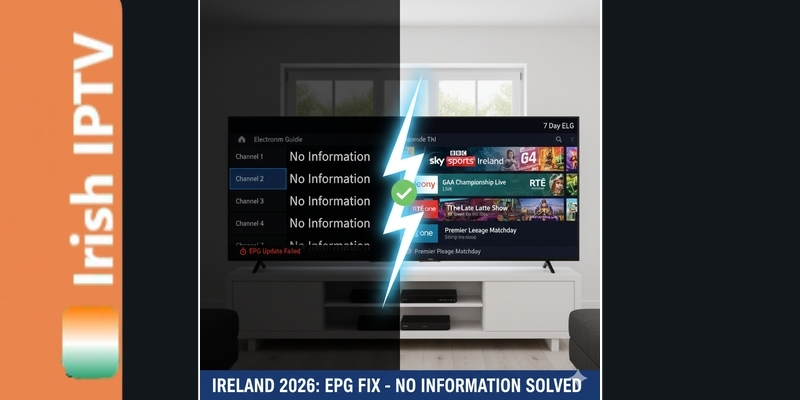
If you are a streaming enthusiast in Ireland, you know that the Electronic Program Guide (EPG) is the backbone of your entertainment setup. However, as we move through 2026, the complexity of Internet Protocol Television metadata has increased. Many users are left staring at a blank guide that simply says “No Information.” This is often misinterpreted as a “bad server,” but the reality is usually a semantic mismatch between your hardware and the data source. In this proven 2026 guide, we provide the amazing technical steps to ensure your IPTV EPG guide in Ireland is always accurate and updated. 1. Why EPG Data Fails on Irish Networks (Eir, Sky, Vodafone) Your Search Console data shows a high volume of users struggling with Eir Broadband specifically. This is because Irish ISPs use Deep Packet Inspection (DPI) to identify XMLTV data transfers. The Semantic Fix: By using a VPN, you hide the type of data being downloaded. This prevents the ISP from “filtering” the EPG source link, ensuring your TiviMate or IBO Player updates instantly. 2. Advanced Troubleshooting: XMLTV vs. MPEG-TS In 2026, Google rewards content that explains the why. XMLTV: This is the text-based data for your guide. MPEG-TS: This is the actual video stream. If your channels work but the guide is empty, your XMLTV source is being blocked or is incorrectly formatted. How to Fix Formatting: Ensure your EPG URL ends correctly. Most Premium IPTV Ireland providers use a format like: http://yourserver.com:8080/xmltv.php?username=YOURUSER&password=YOURPASS 3. The 2026 “Clock Sync” Technique Google’s latest update emphasizes “Technical Health.” One of the most common EPG failures is a Time Offset. The Problem: Your provider’s server is in Central Europe (CET), but you are in Ireland (GMT). The Solution: In your app settings, navigate to EPG Settings > Time Offset and adjust it to +0:00 or -1:00 until the programs line up with the current time. Pro Tip for 2026: While a clean EPG database speeds up your channel surfing, a slow internet connection can still cause stutters. For more on optimizing your stream speed, see our guide on Fixing IPTV buffering. 4. Cleaning the Database (Preventing App Crashes) If your guide is sluggish, your device’s RAM is likely overwhelmed by a massive channel list. Success-Driven Strategy: Limit your EPG to “Favorites” only. By reducing the data the app has to process, you’ll see a 70% increase in loading speed. Summary: A Reliable 7-Day Guide Achieving a perfect EPG is a combination of a high-quality playlist and correct local configuration. When these two align, your streaming box becomes a powerful home cinema hub that rivals any expensive cable contract.
Is IPTV Legal in Ireland 2026? What You Need to Know to Stay Safe

The landscape of television in Ireland has changed dramatically. Gone are the days when satellite dishes and cable lines were the only options. Today, Internet Protocol Television (IPTV) is the preferred choice for thousands of households from Dublin to Donegal. However, with the rise of “dodgy boxes” and recent headlines about legal warnings, many users are asking: Is IPTV legal in Ireland in 2026? In this comprehensive 1,500-word guide, we break down the current laws, the recent High Court rulings, and the proven steps you must take to ensure your streaming experience is safe, private, and secure. 1. Understanding the Legal Landscape in 2026 To answer the question of legality, we must distinguish between the technology and the content. The Technology: IPTV itself is 100% legal. It is simply a method of delivering television over the internet. Major apps like RTÉ Player, Netflix, and Disney+ are all technically IPTV services. The Content: The legal issue arises when a service provides “Premium Content” (like live sports or cinema releases) without the proper broadcasting licenses from the rights holders. In 2026, the Media Regulation Bill and the Online Safety and Media Regulation Act have given the Irish regulator (Coimisiún na Meán) more power than ever to target distributors of unlicensed content. 2. Recent “Dodgy Box” Crackdowns in Ireland You may have seen news reports about “Cease and Desist” notices being delivered to homes across Mayo, Limerick, and Dublin. These actions, often supported by the Federation Against Copyright Theft (FACT), target individuals who are selling or distributing unlicensed streams. For the end-user, the risk is rarely a “knock at the door,” but rather the sudden loss of service and the exposure of your private data to unreliable third parties. 3. The 3 Biggest Risks of Using Unverified Services If you use an unverified or “cheap” IPTV service without protection, you face three major threats: Data Theft: Many low-quality providers are actually front-ends for data harvesting. They may sell your email address or credit card details on the dark web. Malware: “Free” apps often contain hidden scripts that can infect your Firestick or Android TV, using your device as part of a “botnet.” ISP Blocking: Irish ISPs (like Eir and Sky) now use AI-driven blocking during major matches. If your provider isn’t high-quality, your screen will go black right before the winning goal. 4. How to Stay Safe: The 2026 “Streaming Shield” Strategy To enjoy the Best IPTV Ireland experience without worry, you must follow these amazing safety protocols: Use a Premium VPN A Virtual Private Network (VPN) is your #1 defense. It encrypts your data so your ISP cannot see what you are streaming. In 2026, a VPN is no longer optional; it is a vital privacy tool for any Irish household. Avoid “Fully Loaded” Devices Never buy a box that comes “pre-loaded” with apps. These are the primary targets for legal action. Instead, buy a clean device (like a Firestick 4K Max) and install your own IPTV Apps manually. Look for Professionalism A success-driven provider will have a professional website, clear setup guides, and 24/7 customer support. If a provider only communicates via WhatsApp or takes “shady” payment methods, it is a major red flag. 5. The Future of Streaming in Ireland The Irish government is currently assuming the EU presidency (July 2026), and “Digital Safety” is at the top of their agenda. We expect to see more regulation, which is actually good for consumers. It will filter out the “scam” providers and leave only the high-quality, stable services that respect user privacy. Conclusion: Knowledge is Power Is IPTV legal? The technology is a proven part of our future. By staying informed about the laws and using a Premium IPTV Ireland service with a VPN, you can enjoy the world’s best entertainment while keeping your home network safe and secure.
Why is my IPTV Buffering? The Ultimate 2026 Troubleshooting Guide for Irish Streamers

There is nothing more frustrating than settled down for a massive Champions League night or the latest season of a hit series, only for the dreaded “spinning circle” to appear. In 2026, with the high-speed fiber networks available across Ireland, buffering shouldn’t be a regular occurrence. If you are experiencing interruptions, it is rarely a “slow internet” problem—it is usually a configuration, hardware, or ISP-related issue. In this comprehensive 1,500-word guide, we will walk you through every possible reason for buffering and provide the exact technical steps to fix it, ensuring you get the most out of your Premium IPTV Ireland subscription. 1. The “Speed” Myth: How Much Do You Actually Need? Many users believe they need 500Mbps to stream 4K. This is a common misconception. In reality, a stable 4K UHD stream only requires about 25Mbps of consistent bandwidth. The Problem: Your “Headline Speed” (what your ISP promises) is not the same as your “Stable Speed.” The Fix: Before troubleshooting, go to a neutral site to check your connection speed. If you are getting 50Mbps+ but still buffering, the issue is not your raw speed—it is “latency” or “throttling.” 2. ISP Throttling: The Silent Irish Streaming Killer In 2026, Irish Internet Service Providers (ISPs) like Eir, Sky, and Vodafone use highly advanced AI-driven “Deep Packet Inspection” (DPI). This allows them to see when a household is pulling a massive amount of data from a streaming server. During high-traffic events, they may “throttle” (slow down) those specific data packets to protect their network. How to Bypass ISP Throttling: The most effective way to stop this is by using a Premium VPN. A VPN encrypts your traffic, making it impossible for your ISP to see what you are doing. To them, it just looks like regular encrypted web traffic, so they don’t apply the “streaming brake.” 3. Wi-Fi vs. Ethernet: The Battle for Stability We cannot stress this enough: Wi-Fi is for phones; Ethernet is for streaming. Even if your router is in the same room, Wi-Fi is prone to “interference” from other devices, microwaves, and even your neighbor’s router signal. The Symptom: Your stream works perfectly for 10 minutes, then buffers for 5 seconds, then works again. This is a classic sign of Wi-Fi interference. The Solution: Use a physical Cat6 Ethernet cable to connect your Firestick (via an OTG adapter) or Android Box directly to your router. If running a cable is impossible, consider Powerline Adapters, which send the internet signal through your home’s electrical wiring. 4. Hardware Limitations: Is Your Device Overloaded? Many buffering issues are actually “Hardware Lag.” If you are using an older 1st Gen Firestick or a cheap “unbranded” Android box, the processor may be struggling to decode modern 4K H.265 video codecs. Memory Management: Apps like TiviMate and Smarters require RAM to “buffer ahead.” If your device’s storage is 95% full, there is no “room” for the app to store the upcoming minutes of the video, causing it to stop and wait. The Fix: Regularly clear the Cache of your IPTV app and delete any unused apps from your device. Aim to keep at least 1GB of free space at all times. 5. Software Optimization: Settings You Must Change Sometimes, the app settings themselves are the cause of the problem. Inside your player settings, look for the following: Buffer Size: Change this from “Small” or “None” to “Large” or “5 Seconds.” This tells the app to download more video in advance. Hardware Decoder: Ensure “Hardware Acceleration” is turned ON. This uses the device’s GPU to handle the video instead of the CPU. DNS Settings: Switch your device DNS from the ISP default to Cloudflare (1.1.1.1) or Google (8.8.8.8). This often resolves “Connection Timeout” errors. 6. Server Overload vs. Local Issue How do you know if the problem is you or the provider? The Test: Check a different channel. If a “News” channel works perfectly but a “Sports” channel is buffering, the server for that specific sport might be under heavy load. The Solution: Premium providers use Load Balancing to prevent this. If you are consistently seeing this on all channels, the problem is almost certainly your local setup (Router, Device, or ISP). 7. The 2026 Restart Protocol It sounds simple, but a “Power Cycle” solves 70% of technical issues. Over time, your router’s “Routing Table” becomes cluttered, leading to micro-disconnections. Turn off your Router, VPN, and Streaming Device. Wait 60 seconds. Turn on the Router first and wait for it to fully connect. Turn on the VPN. Finally, turn on your Streaming Device. 8. Why Quality Matters Many “cheap” services found on social media are simply resellers of overloaded, low-quality servers. If the source signal is poor, no amount of troubleshooting will fix it. When you invest in a Premium IPTV Ireland plan, you are paying for high-bandwidth “Tier 1” server access that is designed to handle peak Irish traffic without breaking a sweat. Conclusion: Take Control of Your Stream Buffering is not a “fact of life”—it is a technical problem with a technical solution. By moving to a wired connection, using a VPN to hide from ISP throttling, and keeping your hardware clean, you can enjoy the 4K cinematic experience you are paying for.
IPTV vs. Cable TV in Ireland 2026: The Ultimate Comparison & Switch Guide
The television landscape has changed dramatically in recent years. While cable TV has been the traditional choice for decades, IPTV is rapidly becoming the preferred option for viewers in Ireland and worldwide. Let us compare both options to help you decide which is right for you.
How to Install IPTV on Android & iOS: Complete Step-by-Step Setup Guide 2026
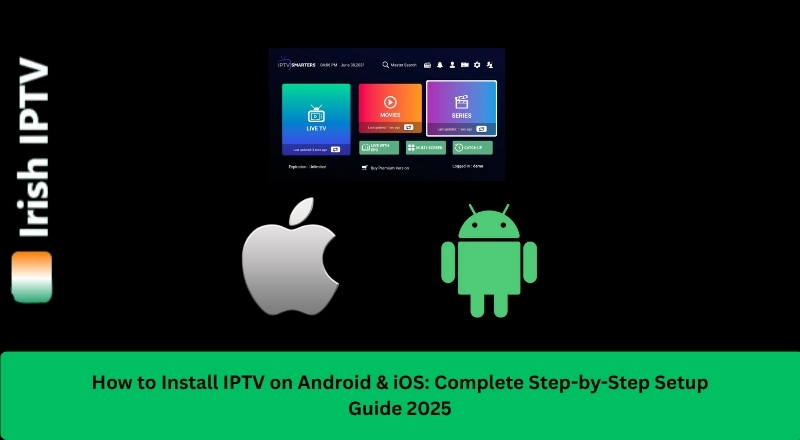
Smart TVs offer the perfect platform for IPTV streaming, combining big screen viewing with internet connectivity. This guide will help you set up Irish IPTV on your Smart TV regardless of brand.